TRAEWORK / SKILL GUIDE
Use AI Passport in TRAE
Install the FoloToy AI Passport Skill to generate images, send local artwork, or create and push RTTTL ringtones to your badge with natural-language prompts.
Adapted from the FoloToy AI Passport Skill examplesOpen TRAE
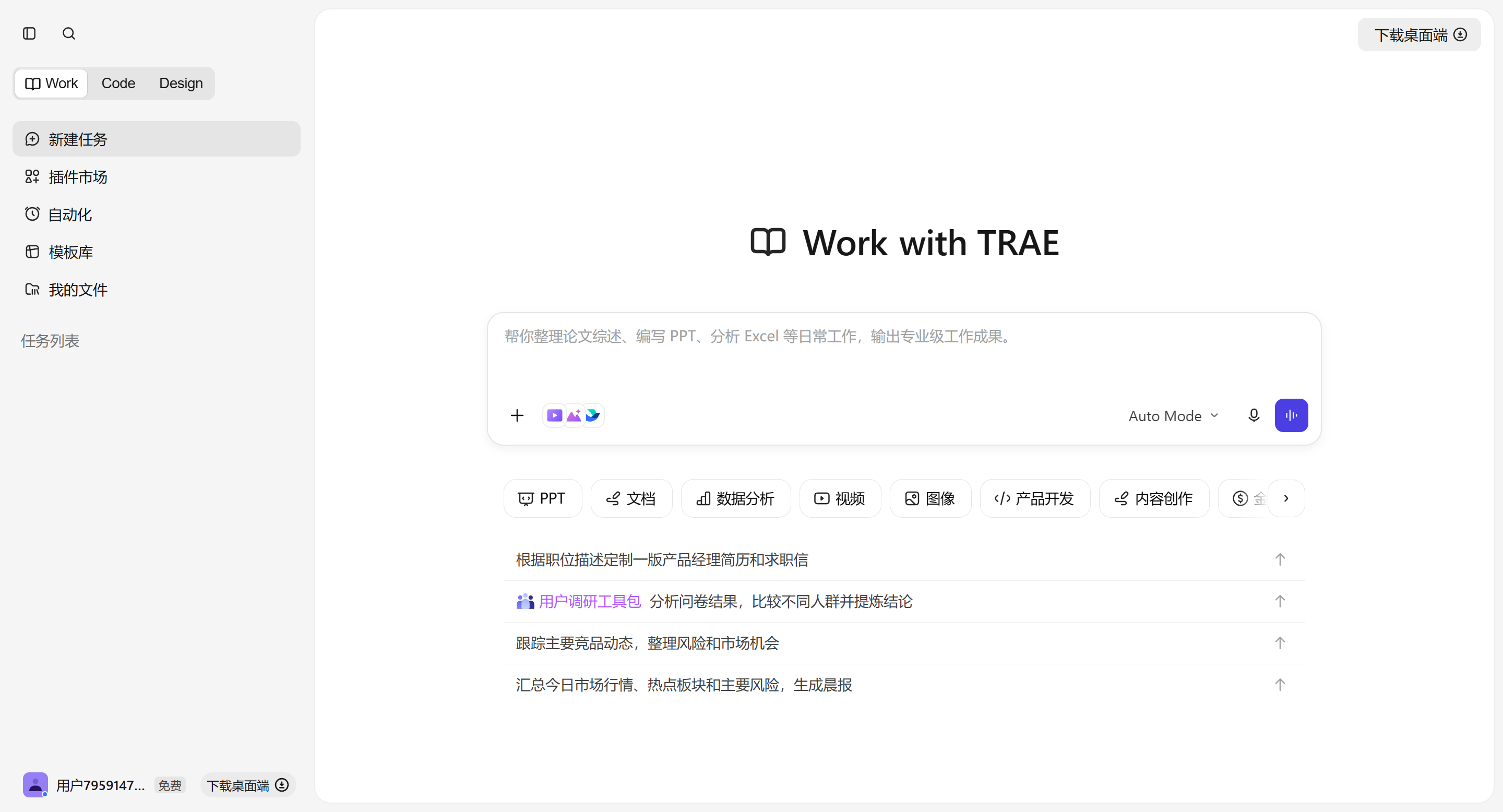
Use TRAE on desktop or the web. Enter the Work area, then find Plugin Marketplace in the left navigation.
Install the Passport Skill
Open Plugin Marketplace → Skills → Productivity, find trae-ai-passport-diy, and use the plus button on its card to install it. You can also search for passport directly.
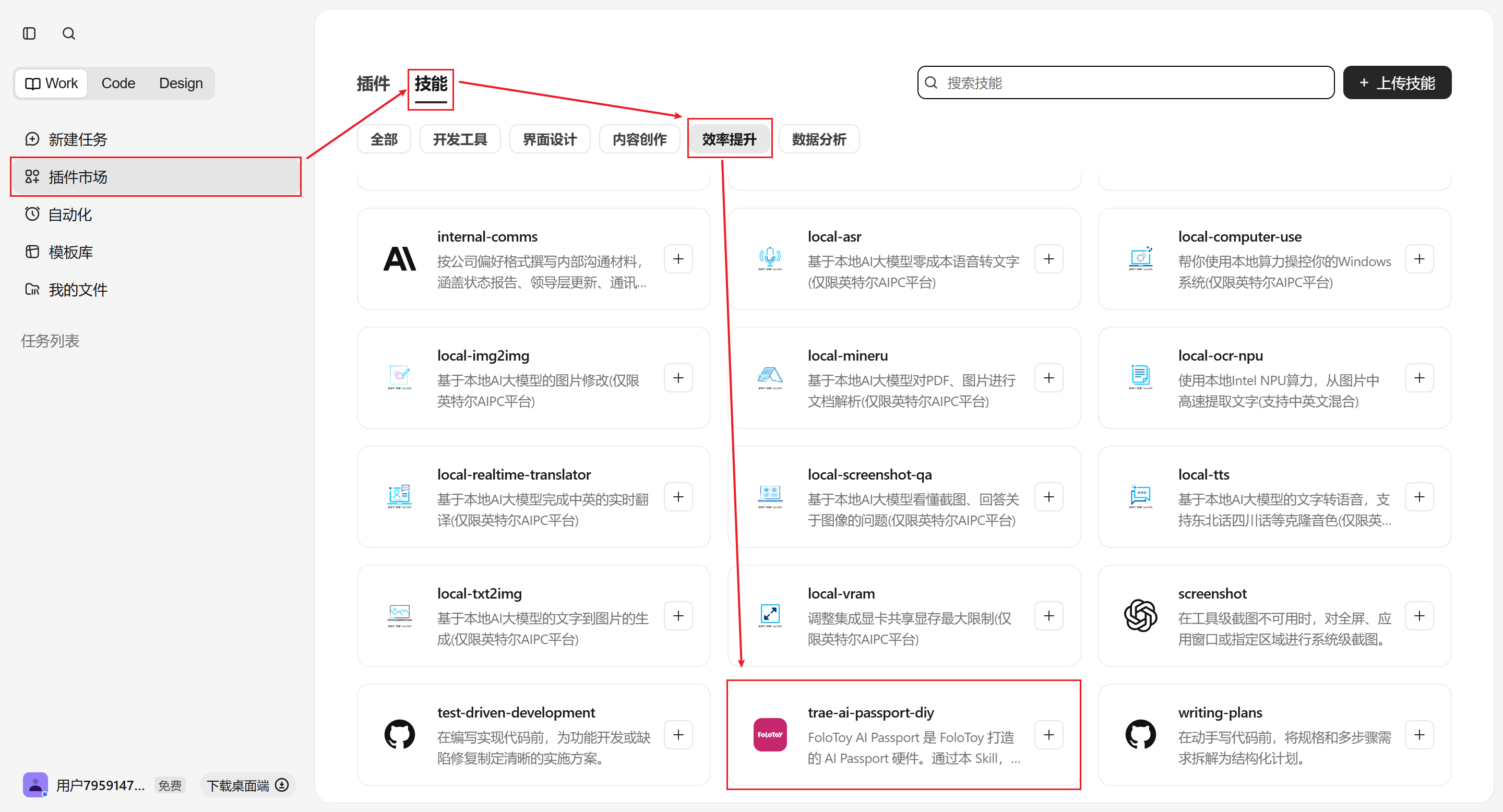
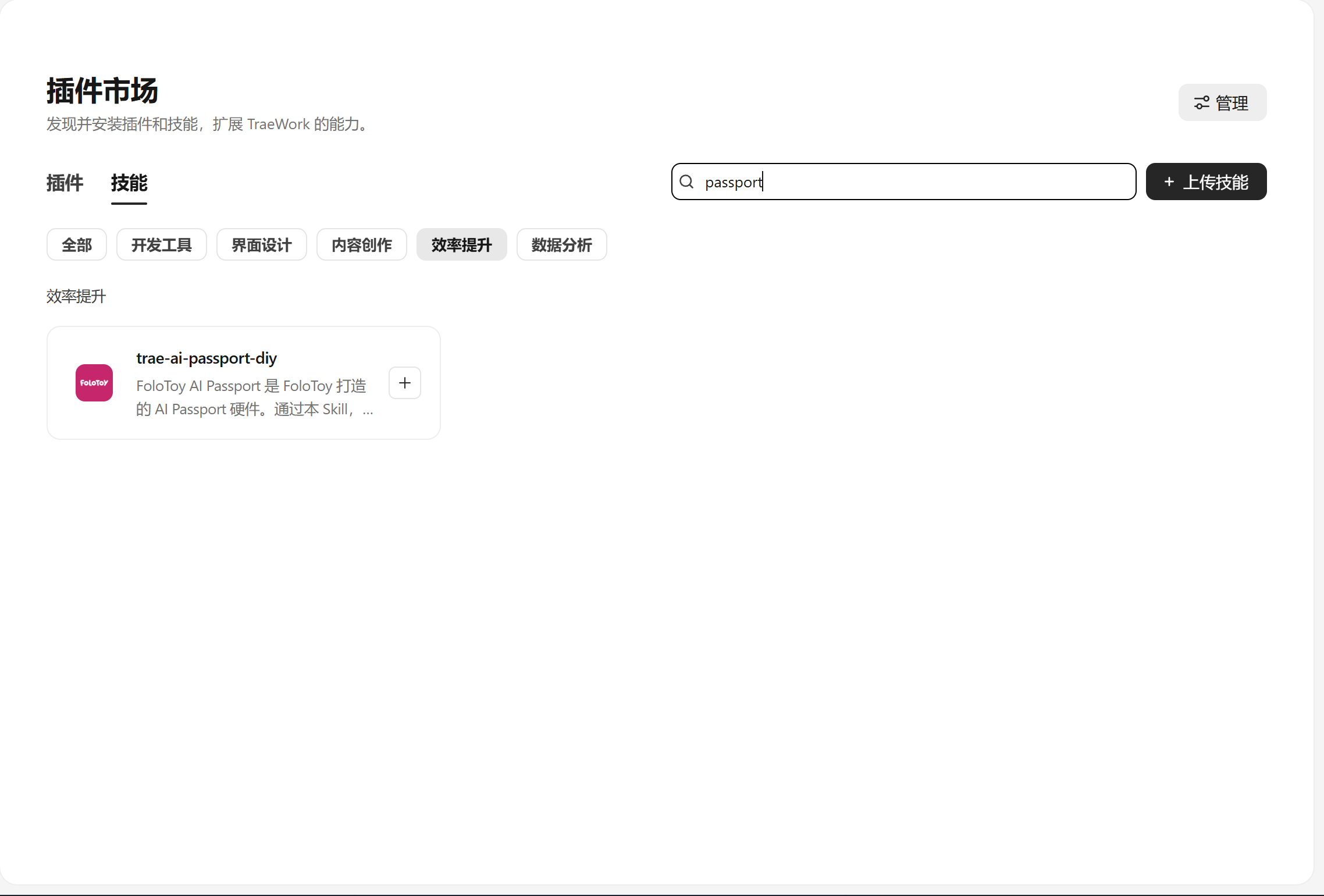
If the layout has changed, use the search box and look for “passport”. The screenshots show the Chinese interface.
Get the device SN and KEY
Open this guide from the QR code on the AI Passport to insert its SN and KEY automatically. Generic placeholders remain when the guide is opened directly.
YOUR_PASSPORT_SNYOUR_PASSPORT_KEYThe KEY is an important device credential. Paste it only into a TRAE session you trust. Never publish it, screenshot it, or send it to someone else.
Send images and ringtones
Copy a complete prompt into TRAE. When the URL contains device parameters, its SN and KEY are already inserted.
Generate a pixel-art robot wearing futuristic goggles and push it to my AI Passport (SN: YOUR_PASSPORT_SN, KEY: YOUR_PASSPORT_KEY).Push D:\images\avatar.png to my AI Passport (SN: YOUR_PASSPORT_SN, KEY: YOUR_PASSPORT_KEY).Push the RTTTL ringtone TRAE:d=4,o=5,b=120:c,e,g,c6 to my AI Passport (SN: YOUR_PASSPORT_SN, KEY: YOUR_PASSPORT_KEY).Create an original short melody with a cheerful 8-bit game feel, convert it to RTTTL, and push it to my AI Passport (SN: YOUR_PASSPORT_SN, KEY: YOUR_PASSPORT_KEY).Alternative install
If your AI tool can install Skills from GitHub, send it this instruction:
Install this Skill: https://github.com/FoloToy/folo-ai-passport-skillREADY / GO BACK
Is the Skill ready?
Return to the badge page to copy complete prompts that already include this device's SN and KEY.
Go back and copy prompts↗